
Start New Challenge
Everything you need to start your next challenge.
Navigate to “New Challenge”
Once you’re logged in, you’ll be automatically taken to the New Challenge page. If you already own a challenge and want to purchase another one, simply click New Challenge in the navigation bar.
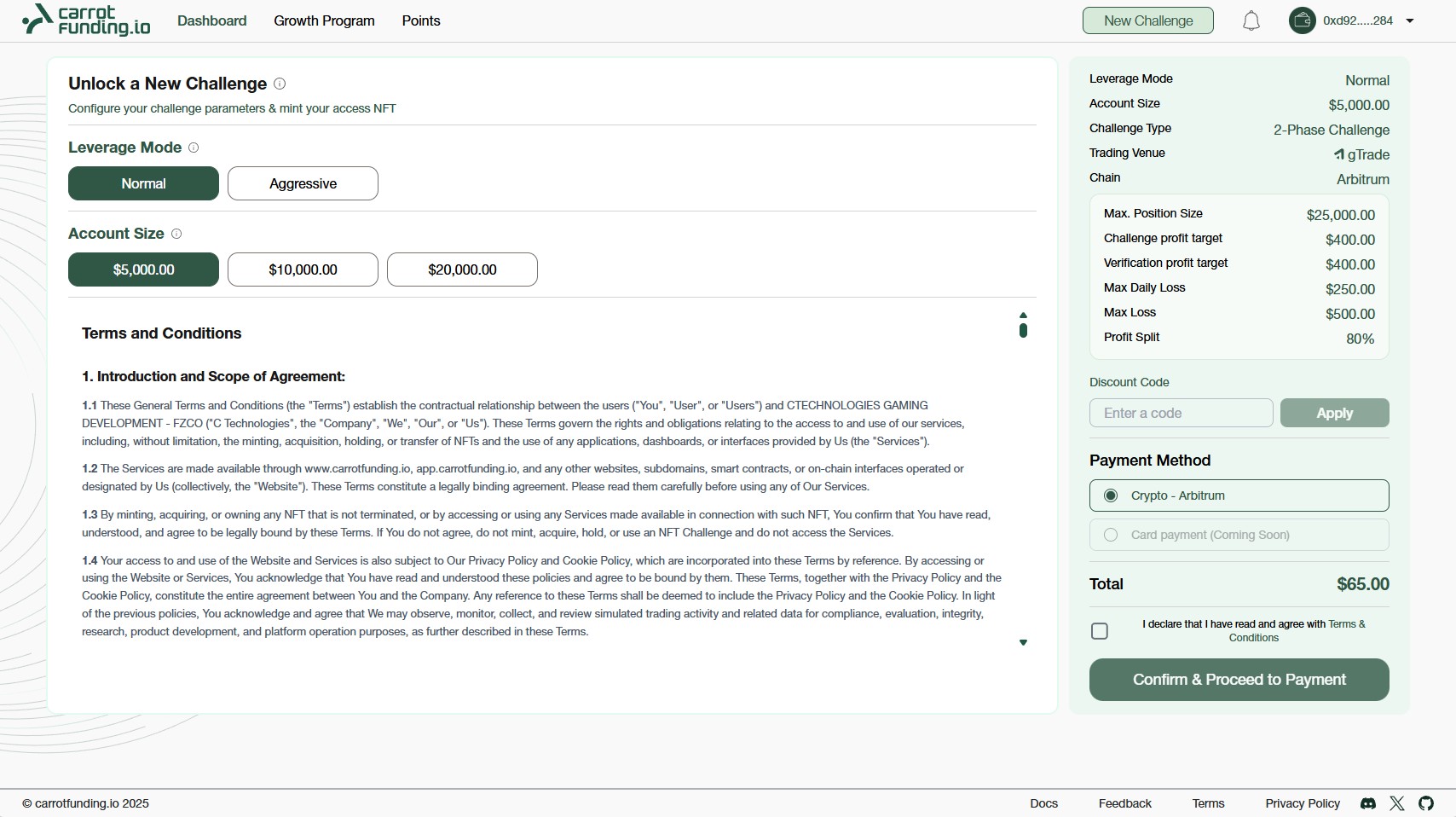
New Challenge
Configure Your Challenge Plan
Choose your preferred Leverage Mode and Account Size. All challenge details, including max position size, profit target, maximum daily loss, maximum loss, and profit split are displayed in the summary window.
Challenge parameters automatically adjust based on the leverage mode you choose.
Choose your preferred payment method (crypto or fiat).
After reviewing your setup, accept the Terms & Conditions and click “Confirm & Proceed to Payment.”
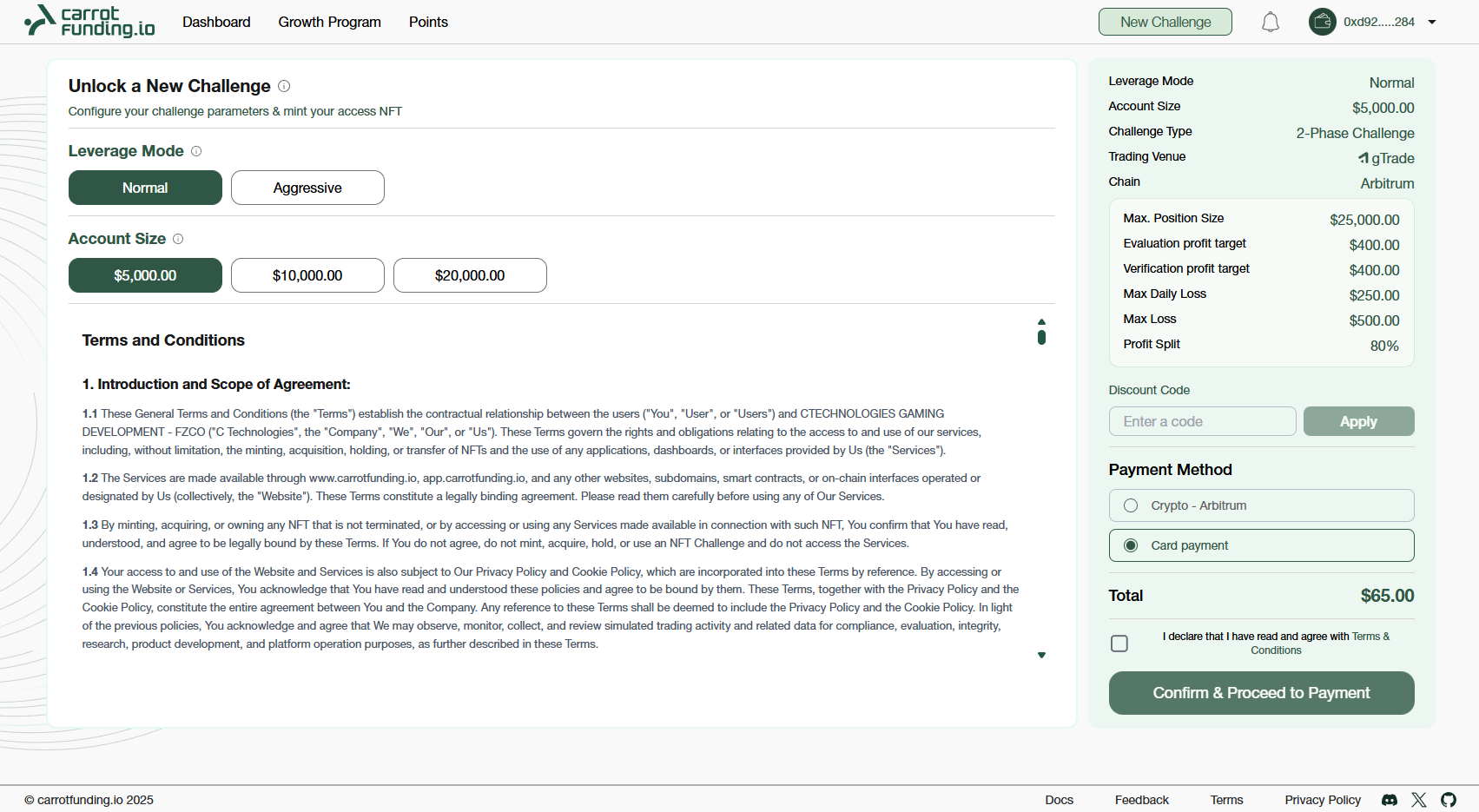
Confirm & Proceed to Payment
Complete Payment
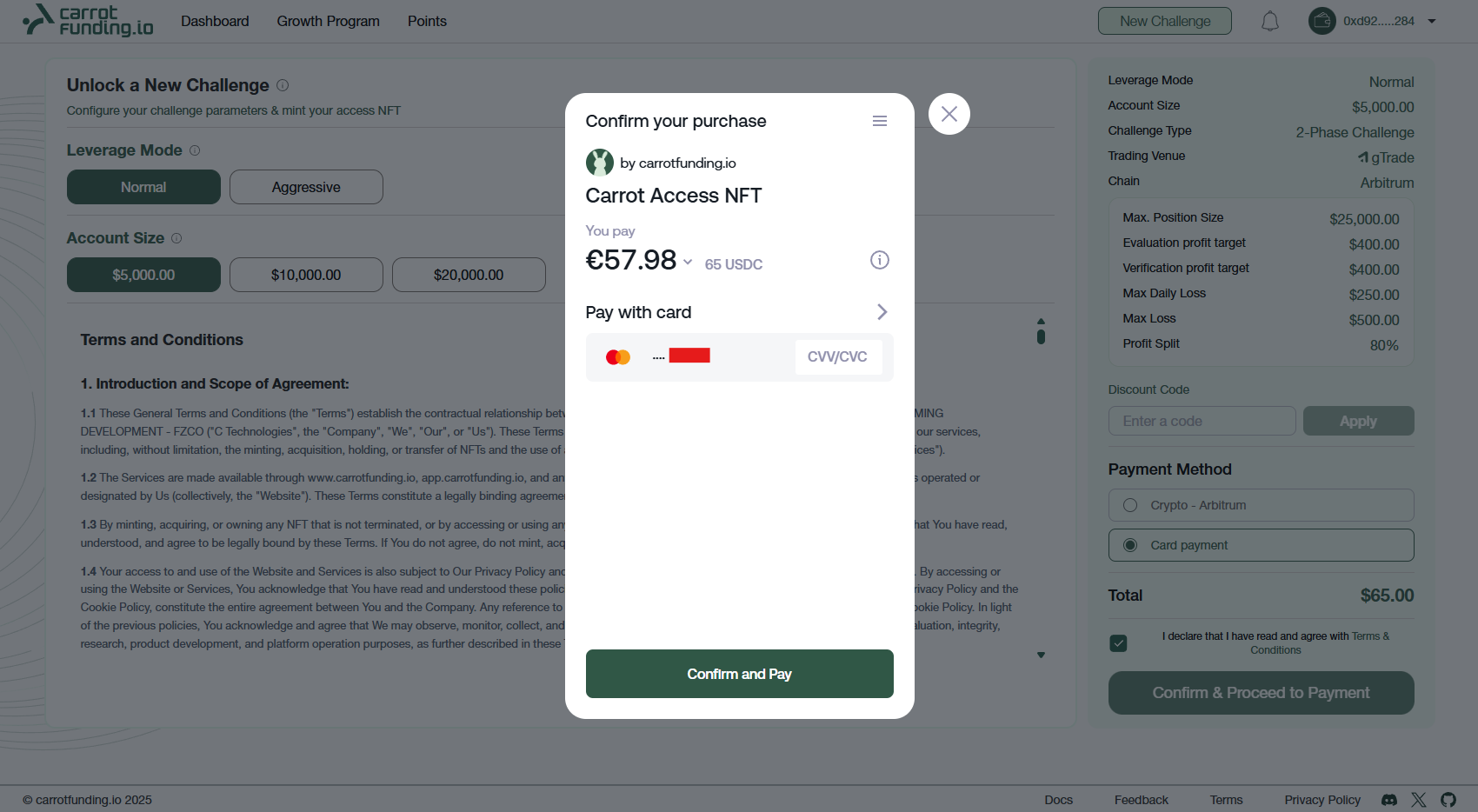
You can pay with either crypto or fiat (card payment).
Card Payment
You’ll be redirected to our Web2 payment provider, Wert. Enter your card details securely and follow the payment flow. You can pay with Visa, Mastercard, Apple Pay or Google Pay.
Crypto Payment
You’ll be redirected to our Web3 payment provider, DePay. Select your preferred crypto wallet and confirm the transaction to complete your payment.
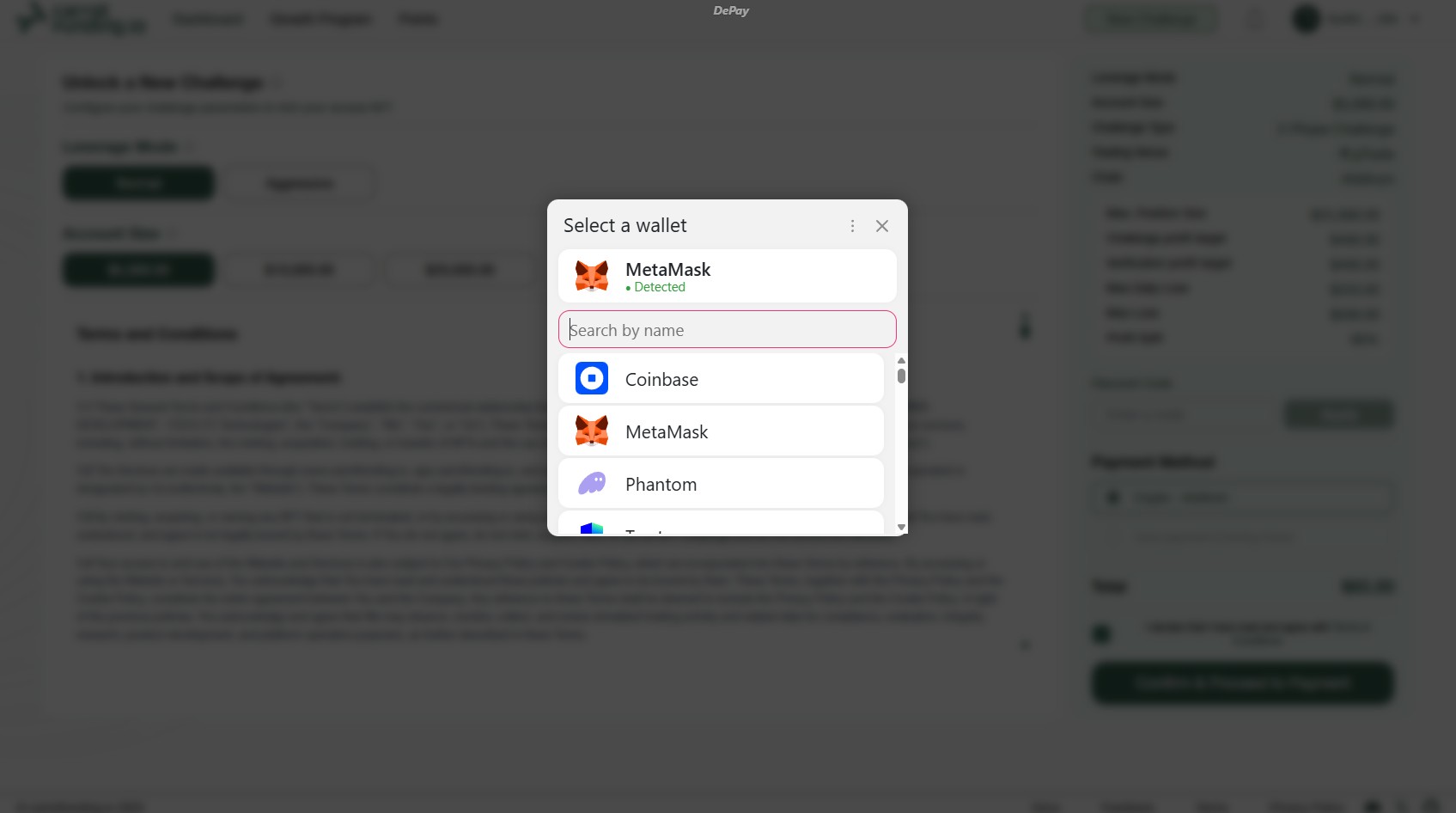
Depay Payment
Start Trading
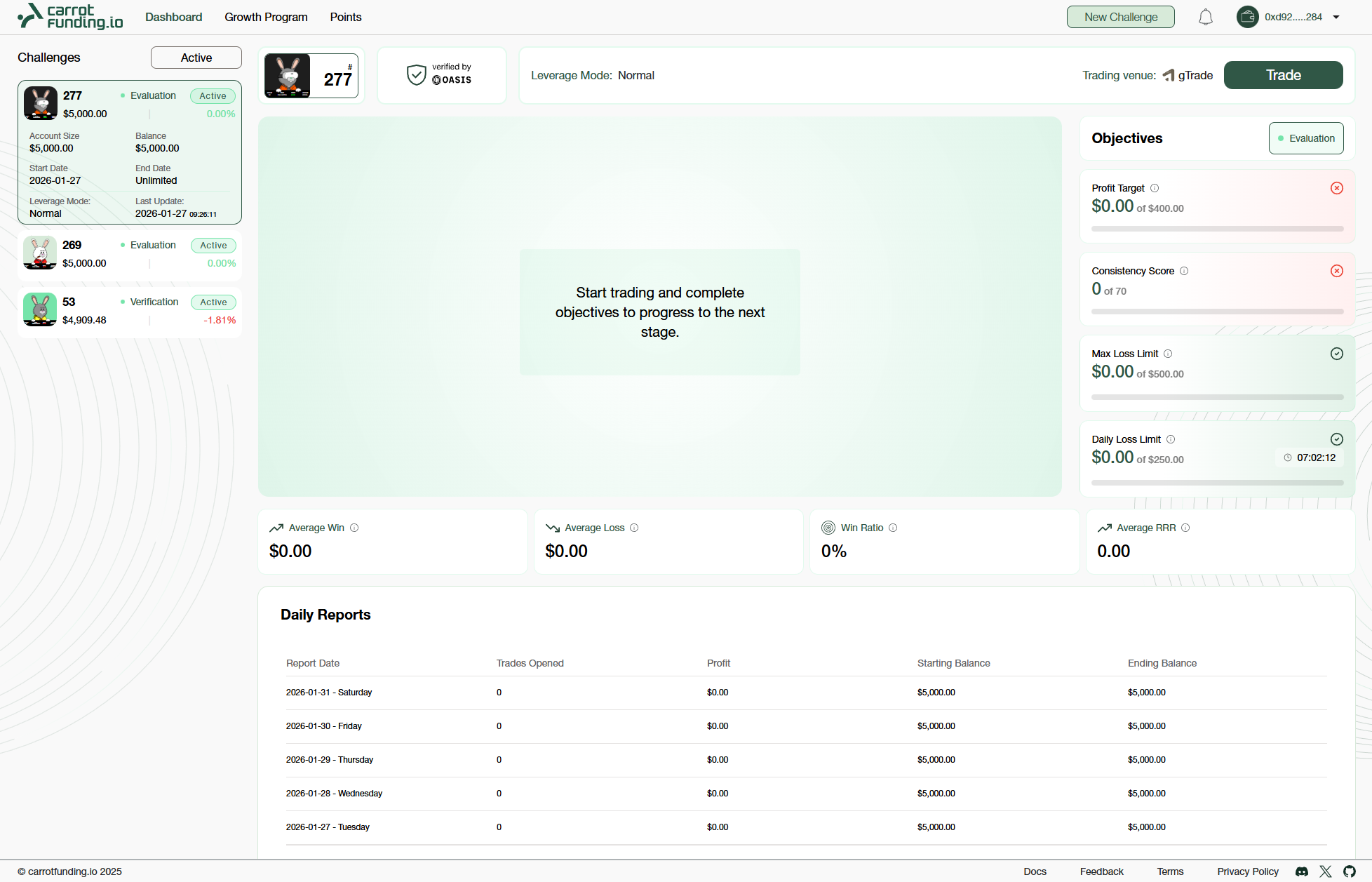
After the payment is completed, you’ll be redirected back to your Trader Dashboard, where your challenge will appear. Click “Trade” to launch the trading terminal and start trading.
New Challenge